





Apple has added a call screening feature in iOS 26 that significantly reduces spam calls on iPhone. The feature filters calls from unknown numbers before they ever ring, allowing legitimate callers to get through while blocking most automated and scam calls.
Call screening is available on all iPhones that support iOS 26. It does not rely on Apple Intelligence and works entirely through the Phone app’s built-in settings.
Once enabled, the feature intercepts calls from numbers not saved in Contacts. Depending on the option selected, callers may be asked to state their reason for calling, sent directly to voicemail, or allowed through as usual.
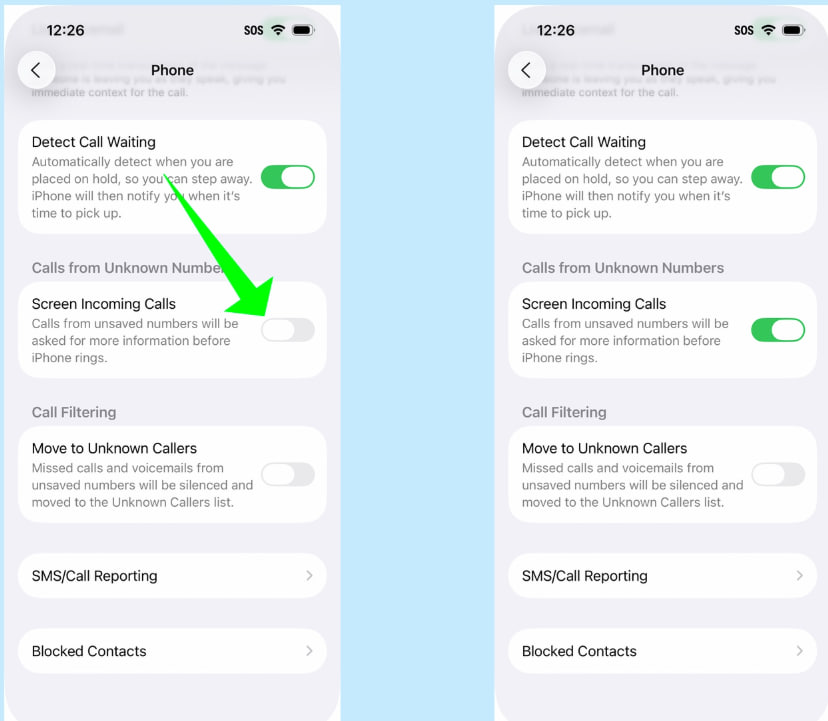
How call screening works on iPhone
iOS 26 offers three call screening modes under the Phone app settings:
- Never – Calls from unknown numbers ring normally, matching pre-iOS 26 behavior.
- Ask Reason for Calling – Unknown callers are prompted to explain why they are calling. The iPhone does not ring. A transcript of the response is shown so the user can decide whether to answer.
- Silence – All calls from unknown numbers are silenced and sent directly to voicemail.
For most users, Ask Reason for Calling provides the best balance. Scam and robocall systems typically fail to respond, while legitimate callers such as medical offices or delivery services can still reach the user.
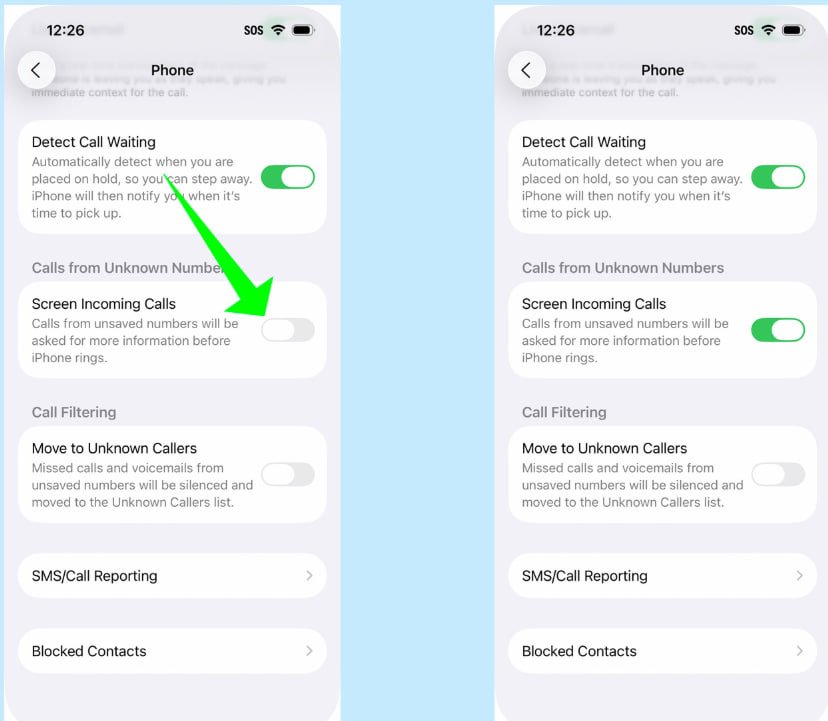
How to enable call screening in iOS 26
- Open Settings.
- Tap Apps.
- Select Phone.
- Find Screen Unknown Callers.
- Choose Ask Reason for Calling or Silence.
Changes take effect immediately. The setting can be adjusted at any time if important calls are being missed.
What to expect after enabling it
With call screening enabled, spam calls stop triggering ringtones and notifications. Legitimate calls from unknown numbers still appear, but only after the caller provides context. Missed screened calls are logged in Recents, and voicemails are preserved when Silence is used.
Apple has not said whether call screening behavior will expand in future updates, but the feature already offers a built-in way to reduce spam calls without relying on carrier tools or third-party apps.
Thank you for being a Ghacks reader. The post iOS 26 Adds Call Screening That Effectively Blocks Spam Calls appeared first on gHacks Technology News.