




Sonos has quietly restored Android media playback controls in its mobile app, fixing one of the most widely criticized changes introduced in the major app redesign released in 2024.
The overhaul was intended to make the Sonos app “faster, easier, and better,” but it also removed several features that users relied on. One of the most notable omissions was support for Android’s native media and volume controls, which allow users to manage audio from the notification shade or lock screen.
After nearly two years of complaints, the feature is finally returning.
Android Playback Controls Inside The Sonos App Are Back
With the latest update, the Sonos app once again supports Android’s MediaSession system, enabling standard playback controls directly in the system interface. Users can now play, pause, skip tracks, and navigate audio from both the notification shade and the lock screen without opening the Sonos app.
The feature works the same way it does in other popular music and podcast apps on Android that integrate with the platform’s native media control system.
How the Fix Of Android Media Playback Controls Was Discovered
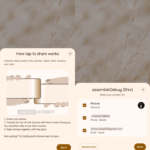
The return of the feature was first spotted by Reddit user u/edfosho1, who shared a screenshot showing Sonos playback controls appearing in the notification panel. Shortly afterward, a Sonos employee confirmed in the same thread that the company had begun rolling out the update to all users.
Sonos has not published release notes or a formal announcement for the change.
How to Access the Update
Open the Google Play Store and update the Sonos app to the latest version. If the update is not yet visible, the rollout is still in progress and should reach remaining users within a few days.
Thank you for being a Ghacks reader. The post Sonos Restores Android Notification Shade Playback Controls After Two Years appeared first on gHacks.